Nerdy Valentine’s in Python, R, and Matlab

Python
R
Matlab
Author

Aleksei

Published

February 14, 2025

Let’s celebrate Valentine’s Day with some nerdy love! In this post, we will create heart-shaped plots using Python, R, and Matlab. These heart-shaped plots are a fun and creative way to express your love for programming and data visualization. Let’s get started!

Python

Here is a Python code snippet to plot a 3D heart shape using Matplotlib:

from mpl_toolkits.mplot3d import Axes3D
from matplotlib import cm
from matplotlib.ticker import LinearLocator, FormatStrFormatter
import matplotlib.pyplot as plt
import numpy as np


def heart_3d(x, y, z):
    return (
        (x**2 + (9 / 4) * y**2 + z**2 - 1) ** 3 - x**2 * z**3 - (9 / 80) * y**2 * z**3
    )


bbox = (-1.5, 1.5)

xmin, xmax, ymin, ymax, zmin, zmax = bbox * 3
fig = plt.figure()

ax = fig.add_subplot(111, projection="3d")
A = np.linspace(xmin, xmax, 100)  # resolution of the contour
B = np.linspace(xmin, xmax, 40)  # number of slices
A1, A2 = np.meshgrid(A, A)  # grid on which the contour is plotted

for z in B:  # plot contours in the XY plane
    X, Y = A1, A2
    Z = heart_3d(X, Y, z)
    cset = ax.contour(X, Y, Z + z, [z], zdir="z", colors=("r",))

for y in B:  # plot contours in the XZ plane
    X, Z = A1, A2
    Y = heart_3d(X, y, Z)
    cset = ax.contour(X, Y + y, Z, [y], zdir="y", colors=("r",))

for x in B:  # plot contours in the YZ plane
    Y, Z = A1, A2
    X = heart_3d(x, Y, Z)
    cset = ax.contour(X + x, Y, Z, [x], zdir="x", colors=("r",))

_ = ax.set_zlim3d(zmin, zmax);
_ = ax.set_xlim3d(xmin, xmax);
_ = ax.set_ylim3d(ymin, ymax);

ax.xaxis.set_pane_color((1.0, 1.0, 1.0, 0.0))
ax.yaxis.set_pane_color((1.0, 1.0, 1.0, 0.0))
ax.zaxis.set_pane_color((1.0, 1.0, 1.0, 0.0))


plt.show()
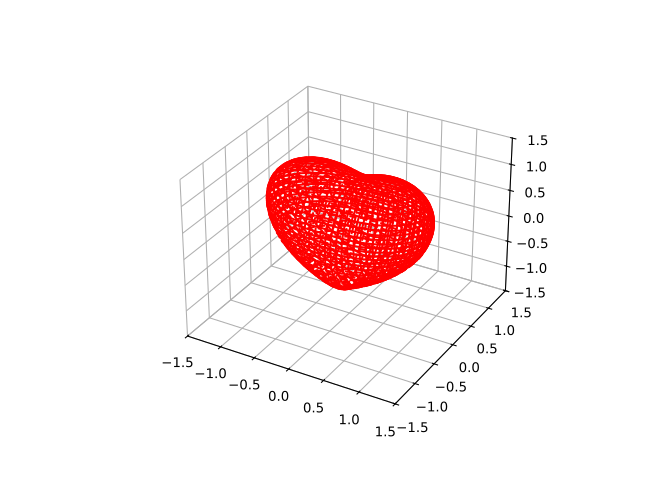
Figure 1: 3D heart shape plotted in Python using Matplotlib

R

In R, we can use the rgl and misc3d packages to create 3D mesh plots. Here is the R code to plot a heart shape:

options(rgl.useNULL = TRUE) # Use NULL device if display is not available

library(misc3d)
library(rgl)

heart_3d <- function(x, y, z) {
  (x^2 + (9 / 4) * y^2 + z^2 - 1)^3 - x^2 * z^3 - (9 / 80) * y^2 * z^3
}

# Create a grid of points in 3D space
x <- seq(-1.5, 1.5, length.out = 50)
y <- seq(-1.5, 1.5, length.out = 50)
z <- seq(-1.5, 1.5, length.out = 50)

# Generate 3D grid of function values
grid <- expand.grid(x = x, y = y, z = z)
values <- with(grid, heart_3d(x, y, z))

# Reshape to 3D array for contour3d
dim_values <- c(length(x), length(y), length(z))
values <- array(values, dim = dim_values)

# Create 3D contour plot
contour3d(values,
  level = 0,
  x = x, y = y, z = z, col.mesh = "red", alpha = 0.5, engine = "grid"
)
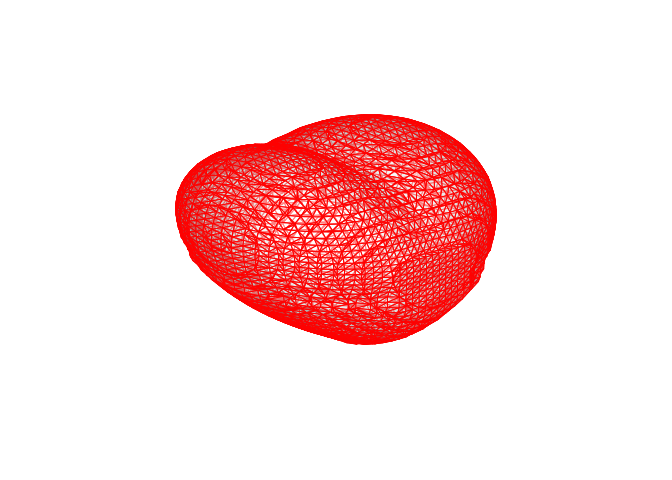
Figure 2: 3D heart shape plotted in R using rgl and misc3d packages (looks strange but this is the best I could do)

Matlab

The code for plotting 3D shape in Matlab is much more laconic than in Python or R. Here is how to plot a heart shape in Matlab:


% volume data
step = 0.05;
[X,Y,Z] = meshgrid(-3:step:3, -3:step:3, -3:step:3);
F = (-(X.^2).*(Z.^3)-(9/80).*(Y.^2).*(Z.^3))+((X.^2)+(9/4).*(Y.^2)+(Z.^2)-1).^3;

% wireframe
patch(isosurface(X,Y,Z,F,0), 'FaceColor','w', 'EdgeColor','r')
daspect([1 1 1])
view(3)
axis tight equal
set(gcf, 'Color','w')

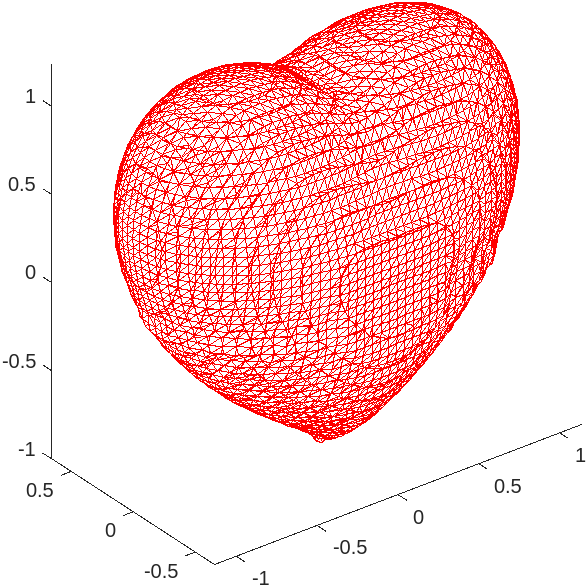
Figure 3: The Matlab code is the most concise of the three, and the plot it produces is interactive in the Matlab IDE

Now you have three beautiful heart-shaped plots created using Python, R, and Matlab. Share these plots with your loved ones and spread the nerdy love this Valentine’s Day!

See Also

Here are some related posts that you might find interesting:

Title Reading Time
Implementing a Neural Network in Base R 9 min
No matching items
Back to top